
INFINBYTES JOURNAL · IDEAS & INSIGHTS
Regular Expressions - Remove texts before a character in notepad++
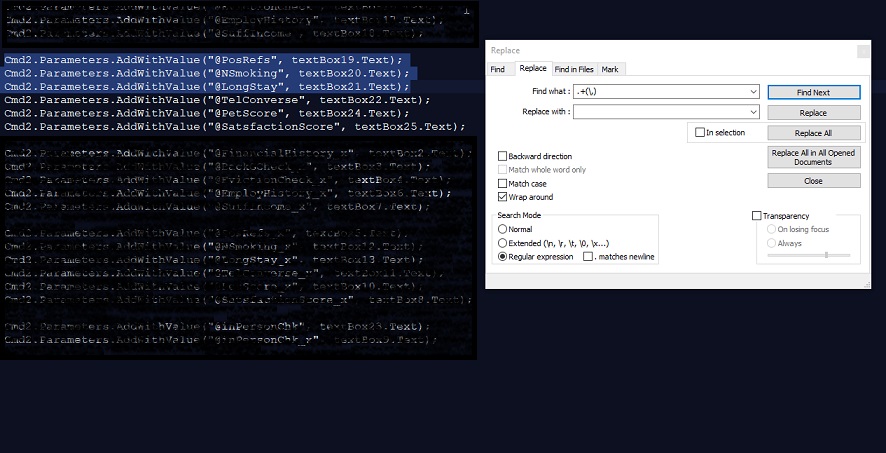
Notepad++ is a text and source code editor which supports several programming languages running under the MS Windows.
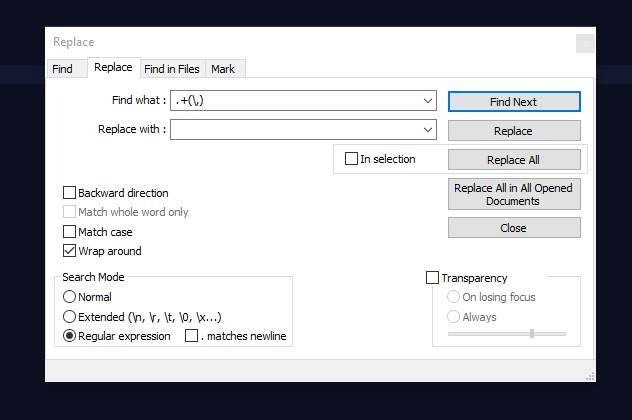 For instance, I want to remove all texts before the punctuation mark comma (,) in the above example.
If you need to remove some texts before a character,
Cmd2.Parameters.AddWithValue("@PosRefs", textBox19.Text); Cmd2.Parameters.AddWithValue("@NSmoking", textBox20.Text); Cmd2.Parameters.AddWithValue("@LongStay", textBox21.Text);
For instance, I want to remove all texts before the punctuation mark comma (,) in the above example.
- Ctrl + F
- Click Replace
- Find what: .+(\X)
- Replace with your text
If you want to add some text before the above texts,
Find What: ^ Replace with: iam- Result: iam- textBox19.Text); iam- textBox20.Text); iam- textBox21.Text);If you want to add some text after the above texts,
Find What: $ Replace with: last Result: iam- textBox19.Text);last iam- textBox20.Text);last iam- textBox21.Text);lastRemove text before Colons or vertical bar using Regex
Thanks for the questions by Yuri and Nicola. vary:tetx:6yui8 ertyh:78umy:etrt hbngt:ytrt:car Yuri wanted to remove the text before the first colon character. using ^.+(\:)(?=[^:]+:[^:]+$) and replace with empty, the result will be tetx:6yui8 78umy:etrt ytrt:car the same method applied for vertical bar(|). Nicola wanted james|473702001|11|17|290 nox|473702001|41|89|431 to 473702001|11|17|290 473702001|41|89|431 This could be achieved by Find this: ^.+(\|)(?=[^|]+\|[^|]+\|[^|]+\|[^|]+$) Replace with: EmptyRemove the second underscore using Regex
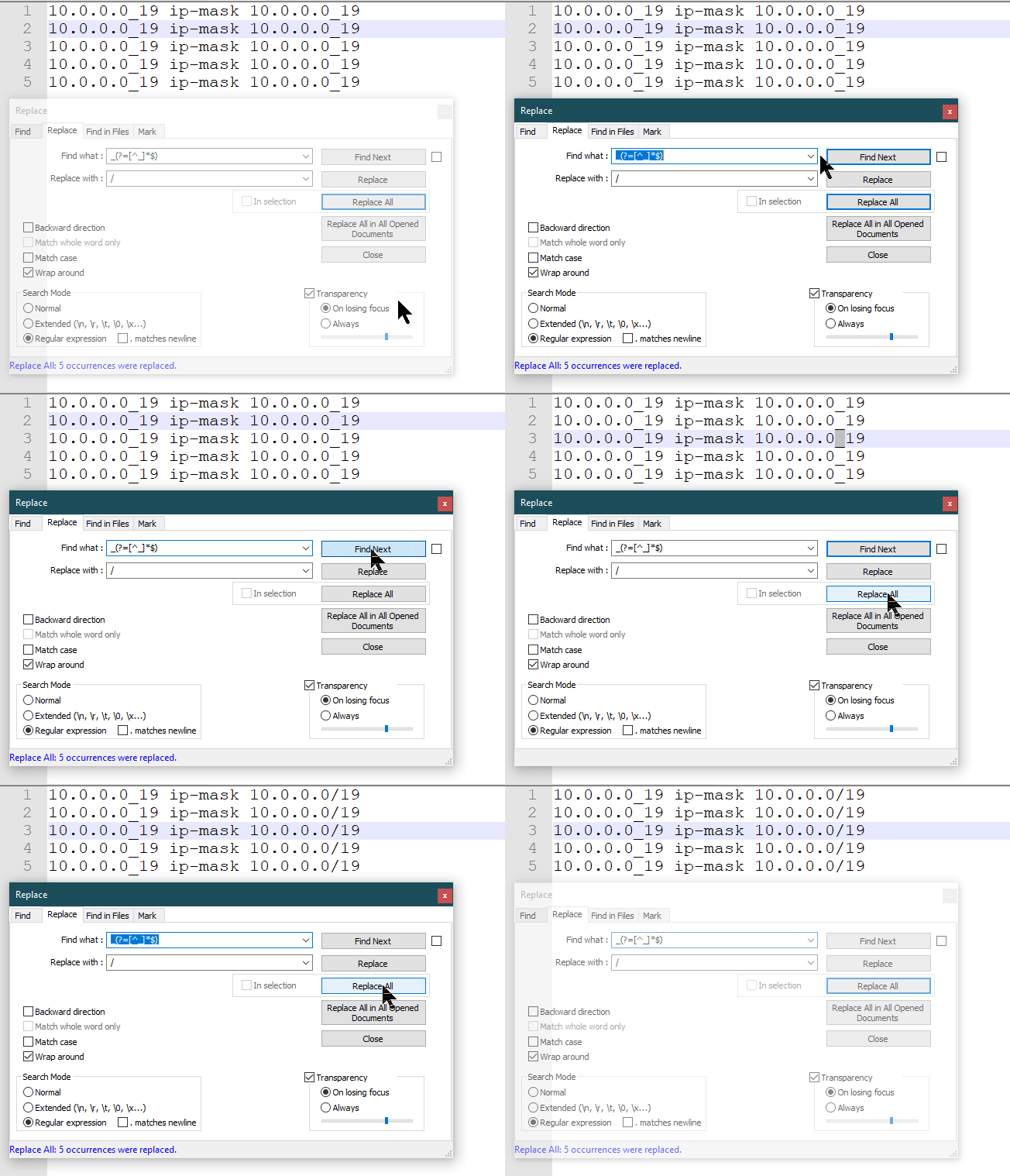
Lavanya's question is to remove the last underscore. 10.0.0.0_19 ip-mask 10.0.0.0_19 10.0.0.0_19 ip-mask 10.0.0.0_19 10.0.0.0_19 ip-mask 10.0.0.0_19 10.0.0.0_19 ip-mask 10.0.0.0_19 10.0.0.0_19 ip-mask 10.0.0.0_19- Find What: _(?=[^_]*$)
- Replace with: /
- Replace All